Cinema & Persona Overview
Summary: Cinema and Talk2U are XBRUSH's AI-powered premium ad video creation features. Using AI models from the marketplace, produce professional-quality ad videos — no filming required. Register your own likeness as a Persona to earn revenue each time your model is used.
What Can You Do Here?
Cinema and Talk2U are XBRUSH's features for creating premium ad videos with AI. Choose an AI model from the IP Market, add your product, write a script, and an AI-generated advertisement is produced automatically. It supports two creation workflows — Talk2U and Cinema — each suited to different ad formats and use cases.
You can also register your own likeness as an AI model (called a Persona) to list it on the marketplace and earn credits each time another creator uses it.
How to Access
Cinema does not have a top menu of its own. You always enter it from the XBRUSH home screen through the IP Market menu.
- Log in to XBRUSH at xbrush.ai.
- On the home screen, click IP Market in the top navigation bar. It is the third of the seven top menus, between Workspace and Explore.
- IP Market opens with its own left sidebar. Pick Cinema for template-based ad creation, or Talk2U for product-synthesis ads.
- Your XBRUSH account carries over — no separate login required.
ℹ️ Cinema and Talk2U live inside IP Market. Looking for them in the top navigation bar is the most common wrong turn — open IP Market first, then choose from its left sidebar.
⚠️ The direct path
/ko/cinemadoes not resolve. The working path is/x/ko/cinema, which is what the sidebar link points to — always enter through IP Market rather than typing the URL.
Navigation — Default Sidebar
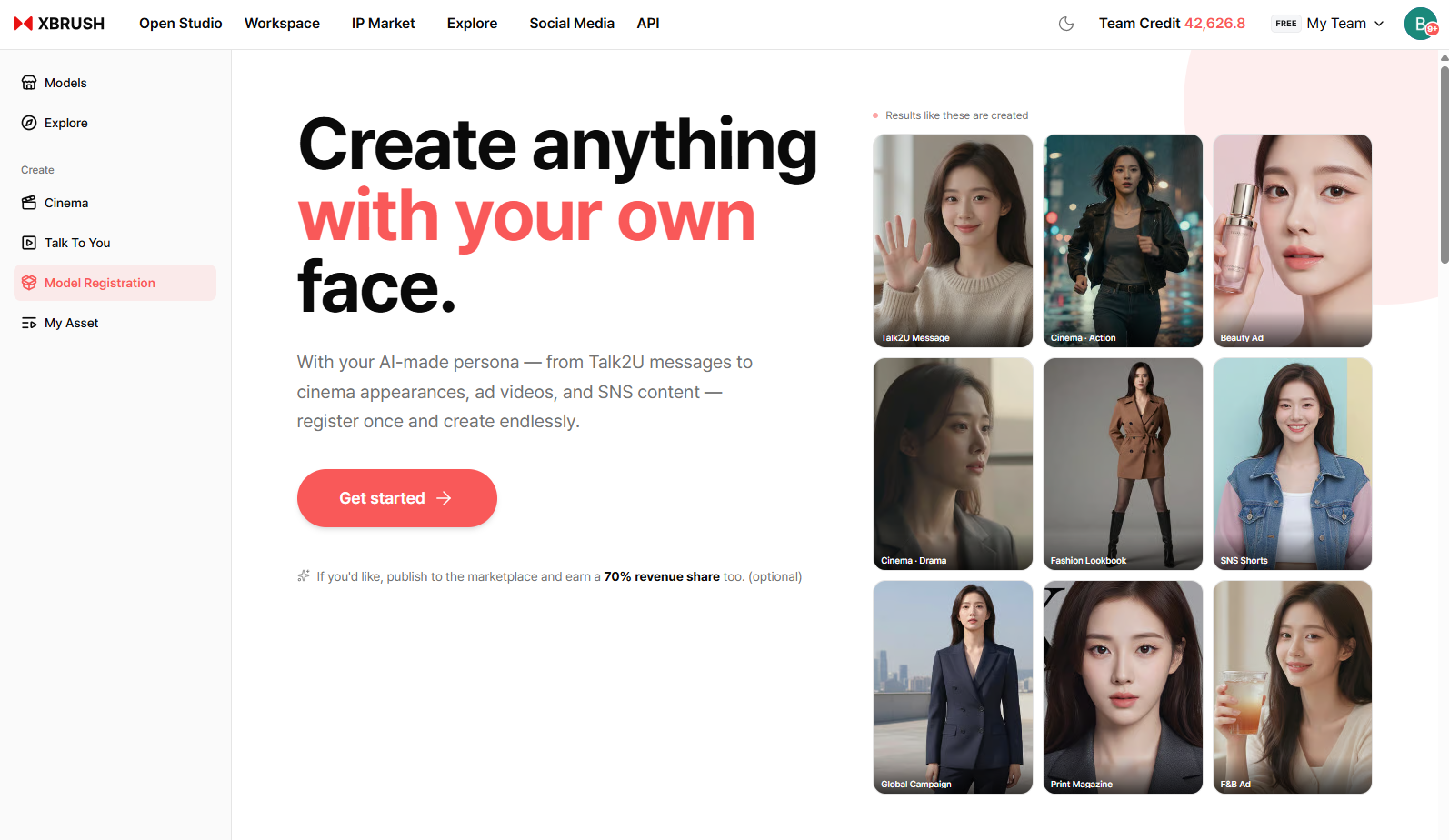
Before registering a persona, the left sidebar shows six menus.
| Menu | Description |
|---|---|
| Browse Models | Browse and select AI models from the marketplace |
| Explore | Explore publicly shared ad videos |
| Talk2U | Generate ad videos with product synthesis and script |
| Cinema | Create professional brand ads from premium templates |
| Register Model | Register your likeness as a persona to earn revenue |
| My Videos | Manage and download your generated videos |
Model Marketplace
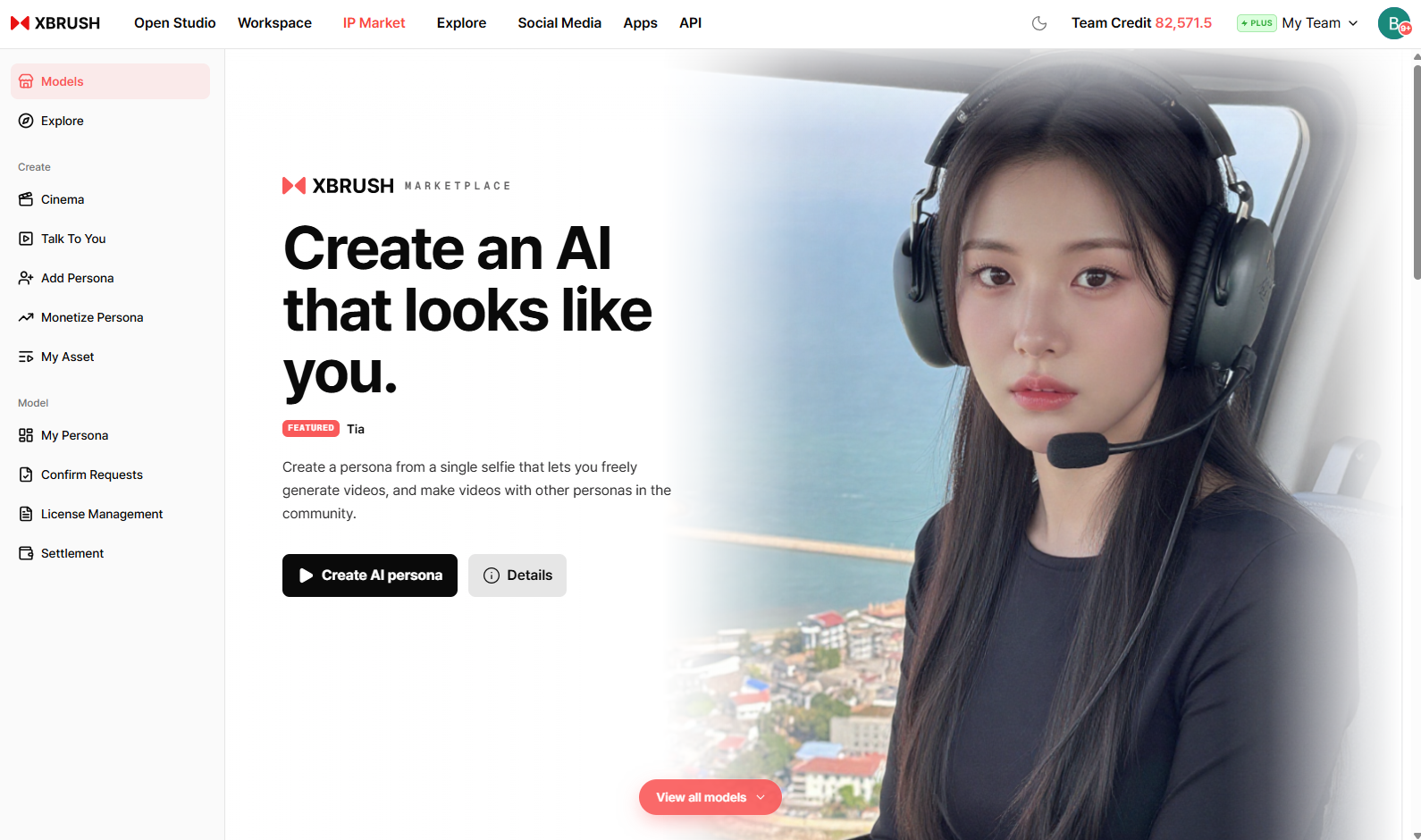
Browse AI models optimized for ad video production.
- Browse AI models registered on the IP Market.
- Filter by Category and Tag, or sort by Most Popular.
- Click a model to enter the creation screen for that model.
- Models labeled Fast Forward are optimized for quick generation.
Content Search
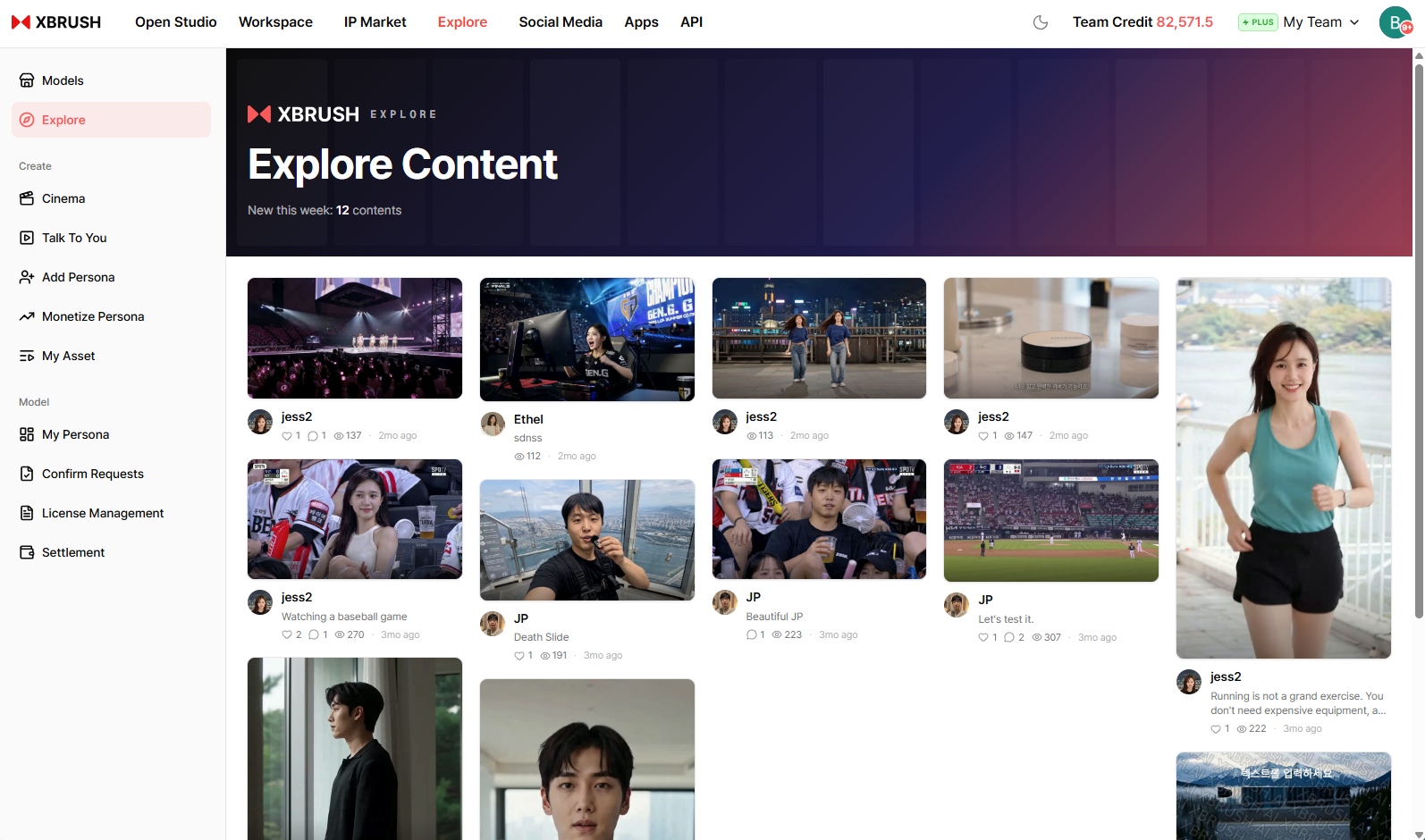
Browse ad videos generated by other creators.
- Explore ad videos shared by other creators for inspiration.
- Search by model name, tag, or keyword.
Talk2U
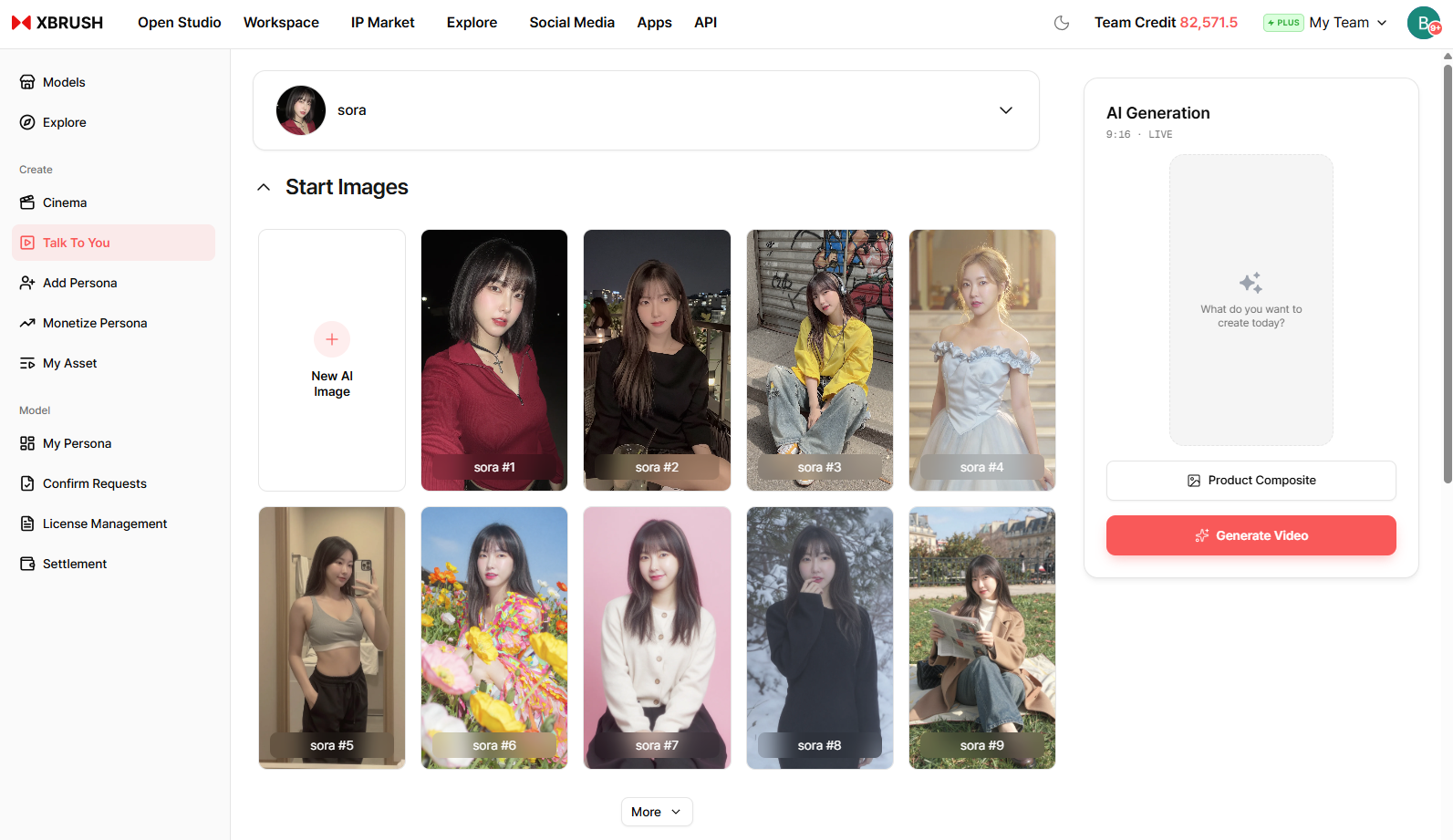
Talk2U workspace — select a model, synthesize your product, and generate a video.
Talk2U is XBRUSH's core ad creation feature. Select an AI model, upload your product image, write a script, and generate a video of the model holding your product and delivering the lines. See the Talk2U guide for step-by-step instructions.
Cinema
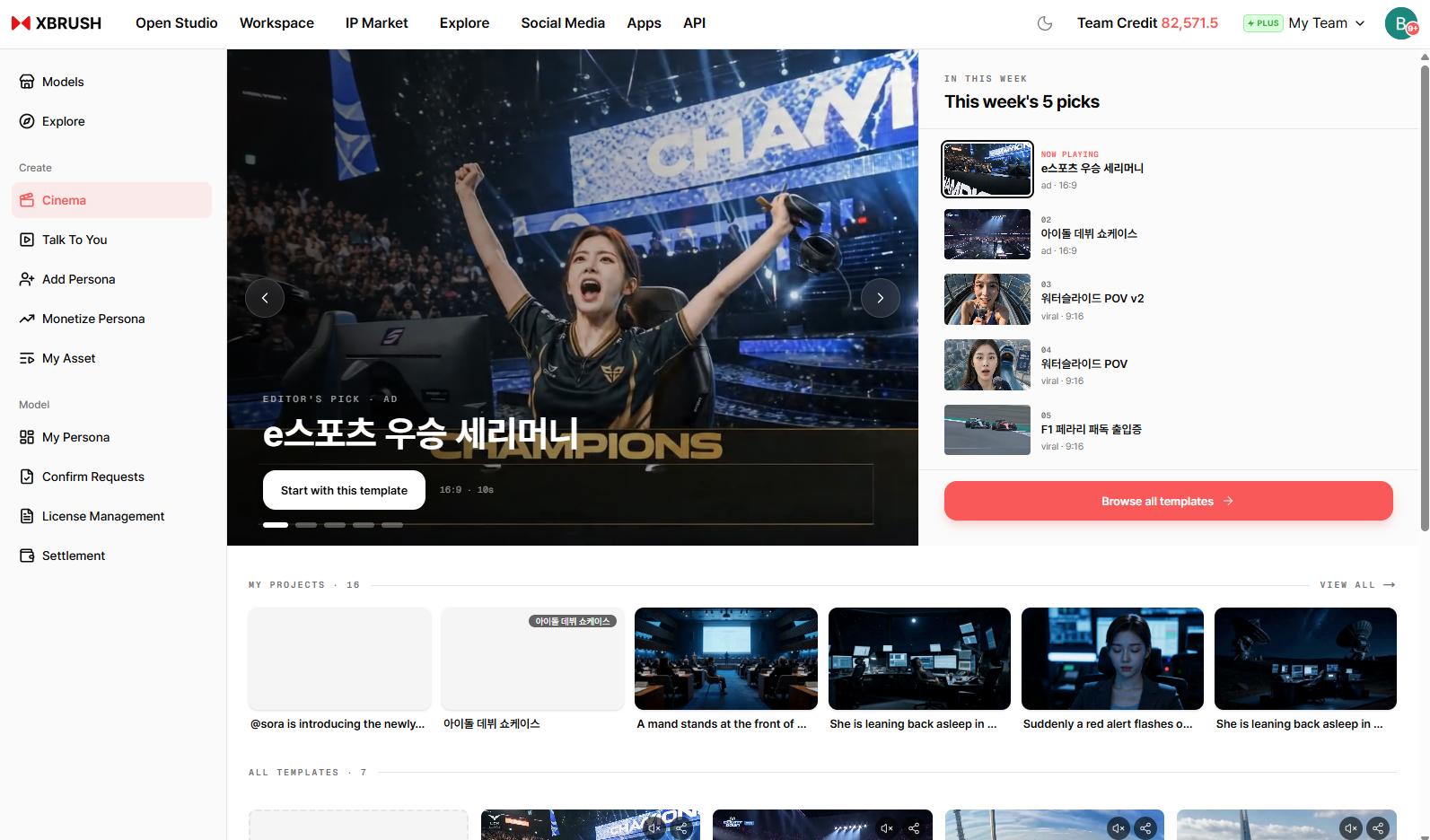
Cinema home — browse curated cinematic narrative templates.
Cinema creates premium cinematic advertisement videos using curated narrative templates. Select a template, review the assigned persona and script, generate an AI reference image, and produce a polished advertisement. See the Cinema guide for step-by-step instructions.
My Videos
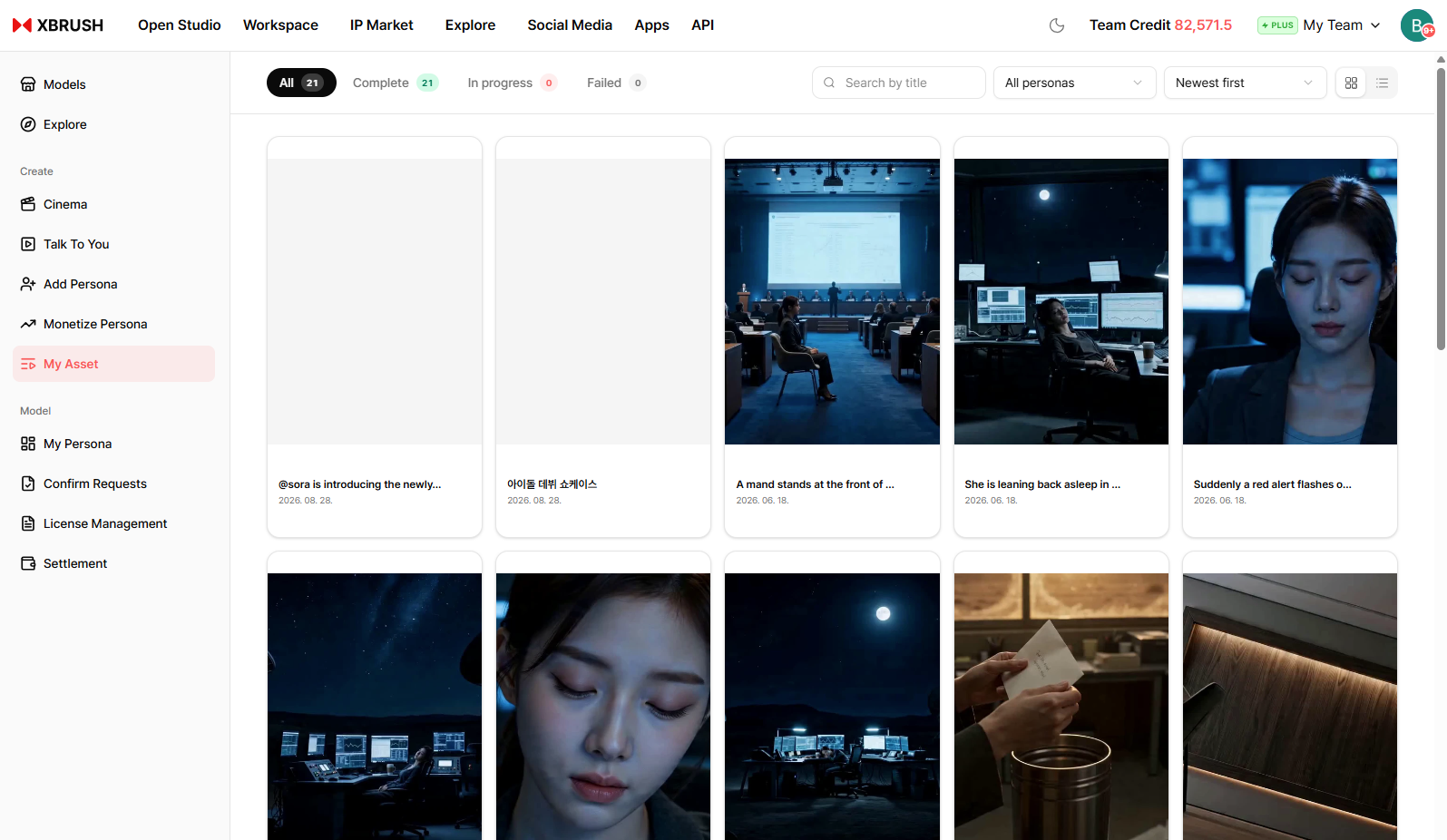
Your generated video library.
- All videos you have generated are listed here.
- Videos currently generating show a progress percentage.
- Click any video to preview or download it.
Navigation — After Persona Registration
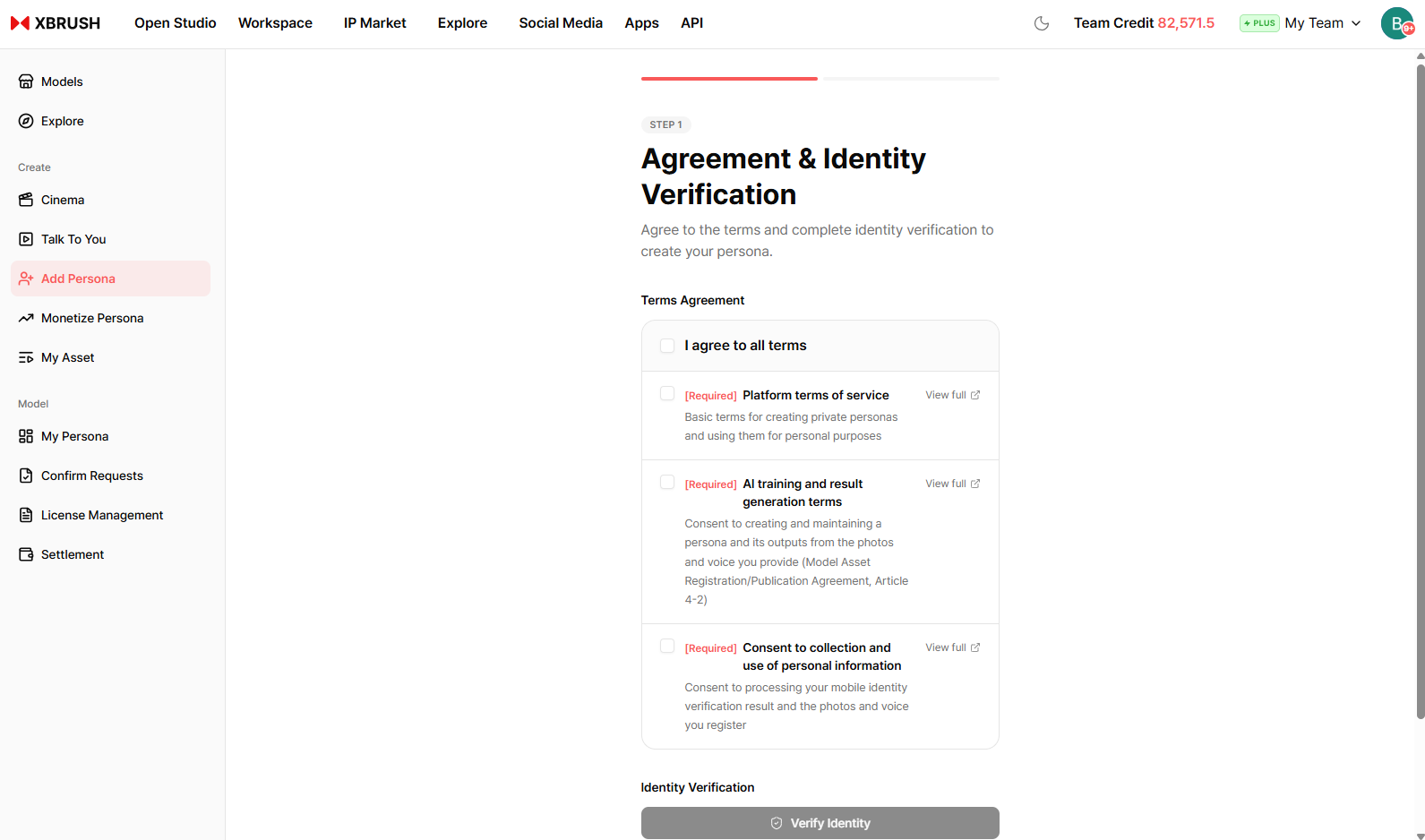
After registering a persona, additional menus appear in the left sidebar.
When you register your own likeness as an AI model through Register Model, that model is called a Persona. Once a persona is registered, the left sidebar expands with dedicated menus for managing your persona and revenue:
| Menu | Description |
|---|---|
| Add Persona | Register an additional persona |
| Add Persona Monetization | Submit a persona for marketplace monetization |
| My Persona | View and manage your registered personas |
| Approval Request | Track the approval status of monetization requests |
| License Management | Manage usage licenses for your personas |
| Settlement | View earnings and credit settlement history |
For step-by-step instructions on creating a persona and managing revenue, see the Model Registration (Persona) guide.
My Persona
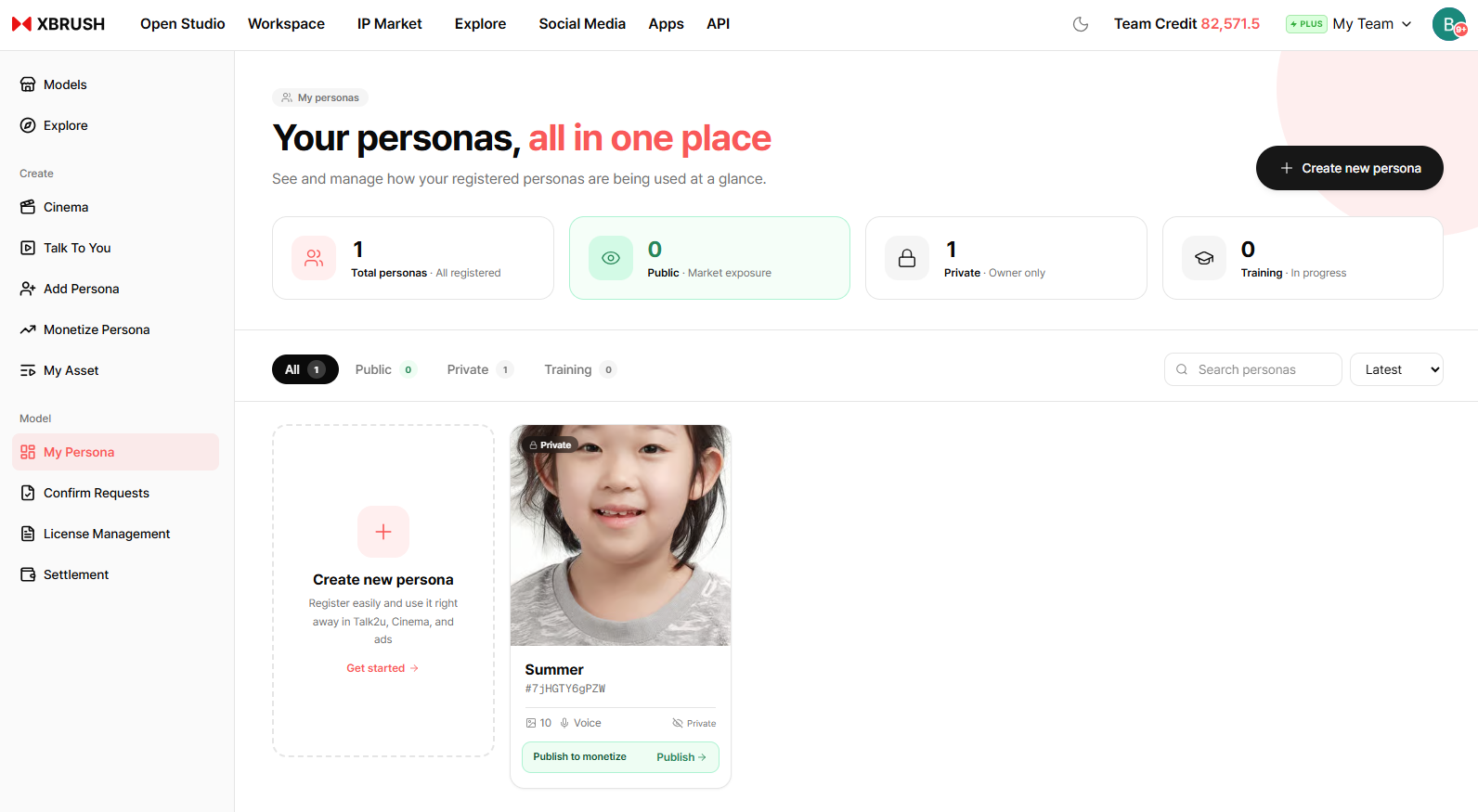
View and manage all your registered AI personas.
- View all personas you have registered along with their current status.
- Manage persona details or remove a persona from the marketplace.
Persona Monetization
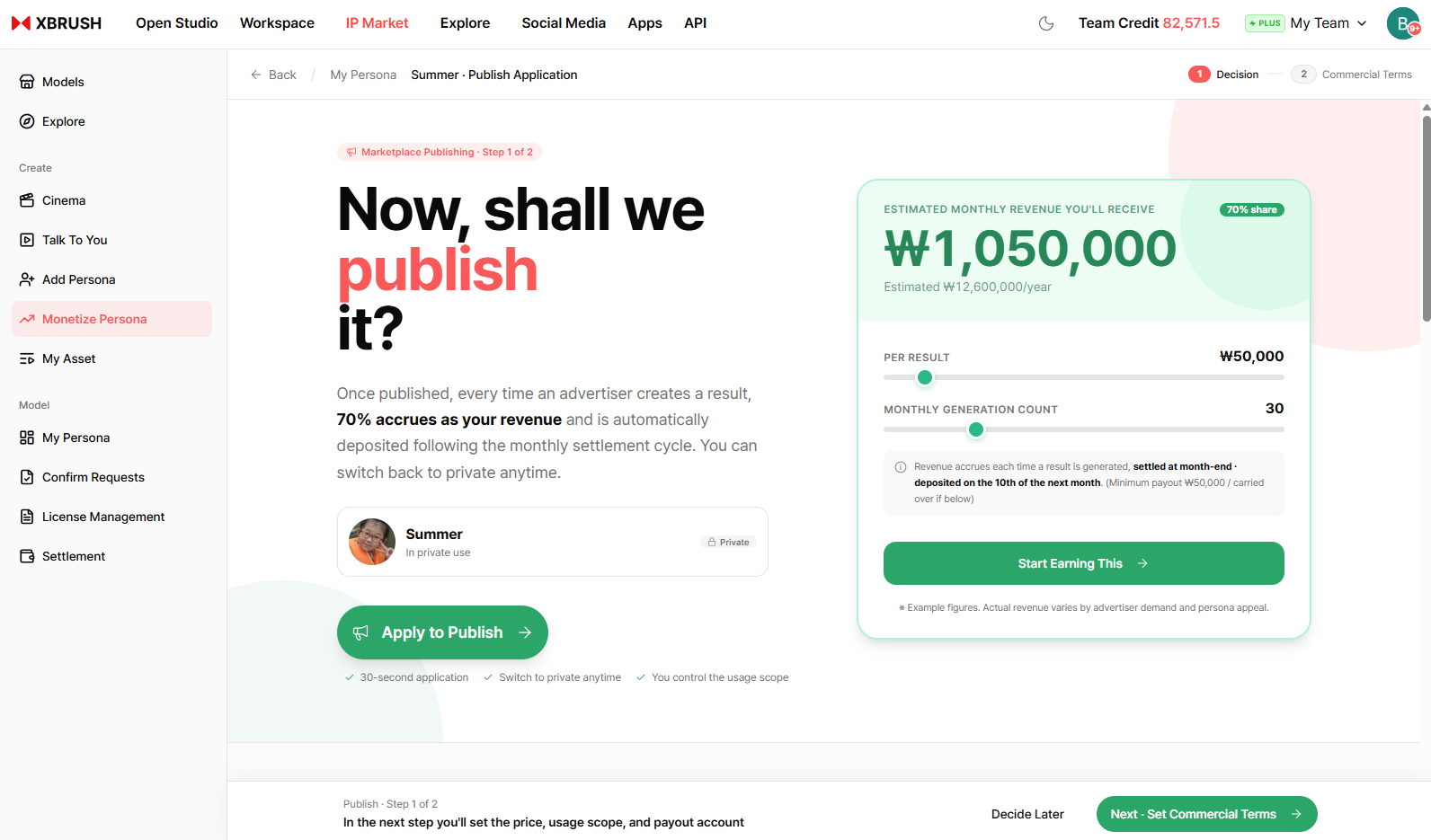
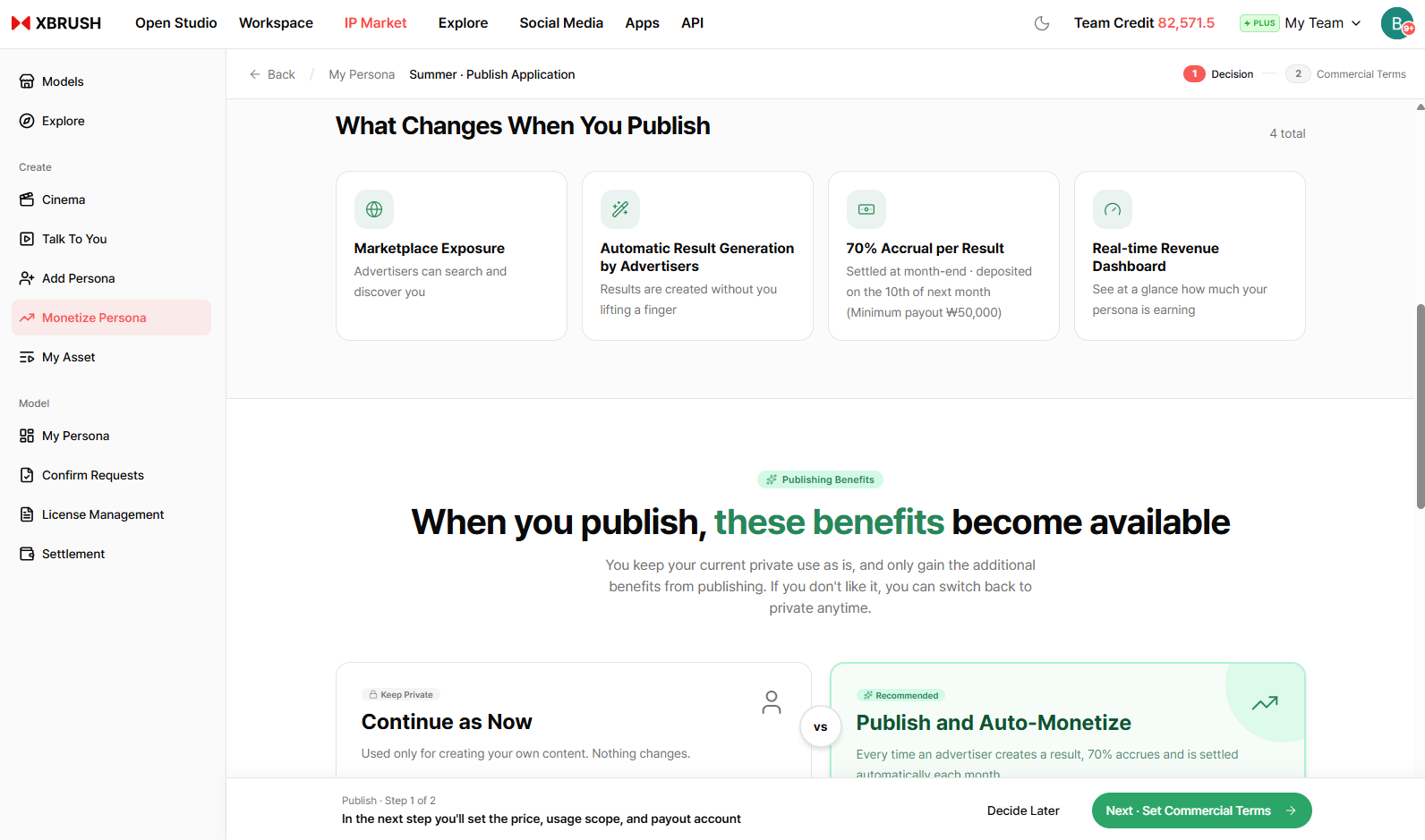
Submit a persona for monetization to earn credits when other users generate ad videos with it.
- Select a registered persona and submit it for marketplace monetization.
- Once approved, the persona is listed in the marketplace and earns credits each time it is used.
Approval Request
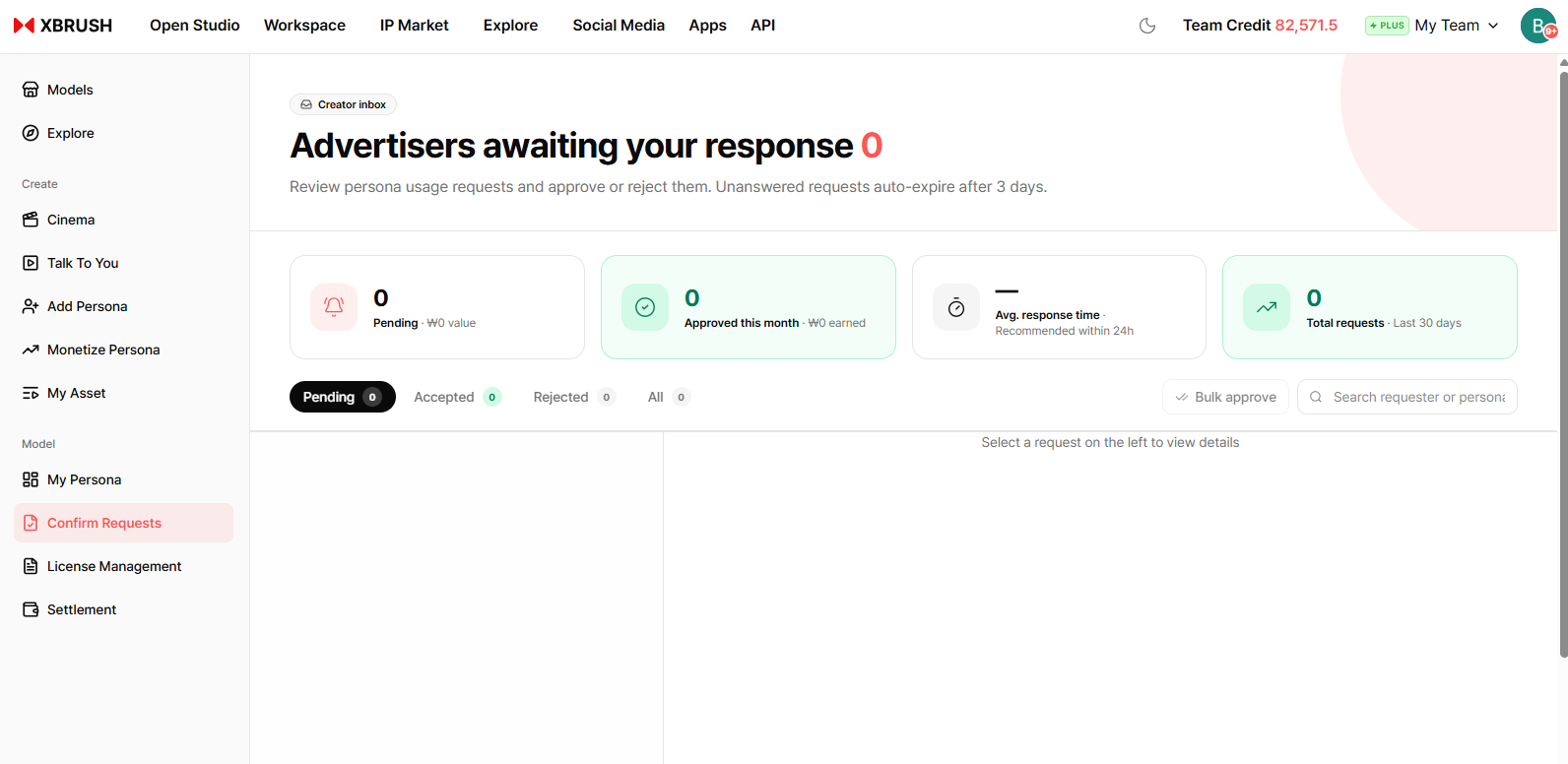
Track the review status of your monetization requests.
- View the approval status of each persona submitted for monetization.
- Statuses include pending review, approved, and rejected.
License Management
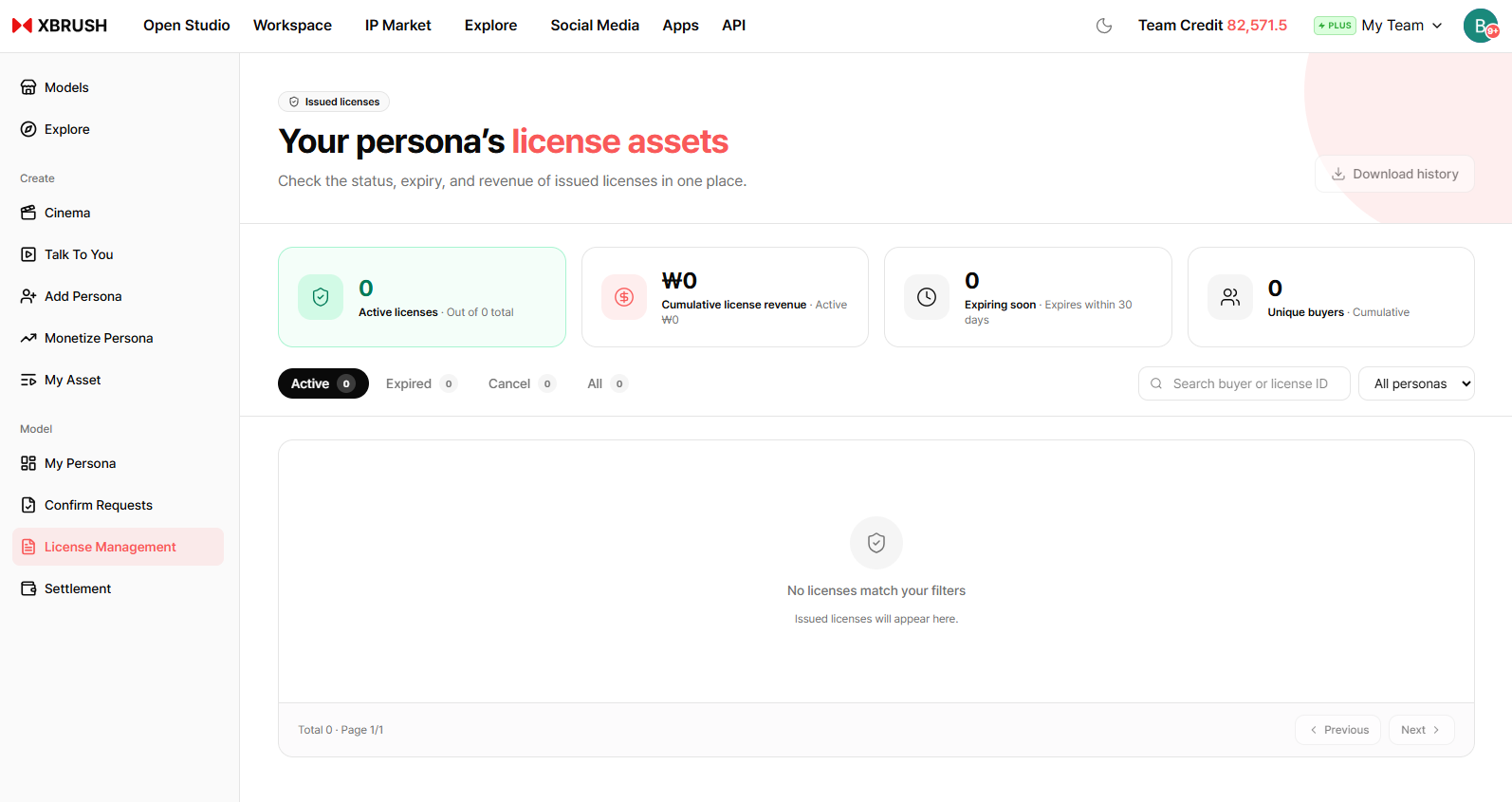
Manage usage licenses for your personas.
- Review how and where each persona is licensed for use.
- Adjust license terms or withdraw a persona from active use.
Settlement
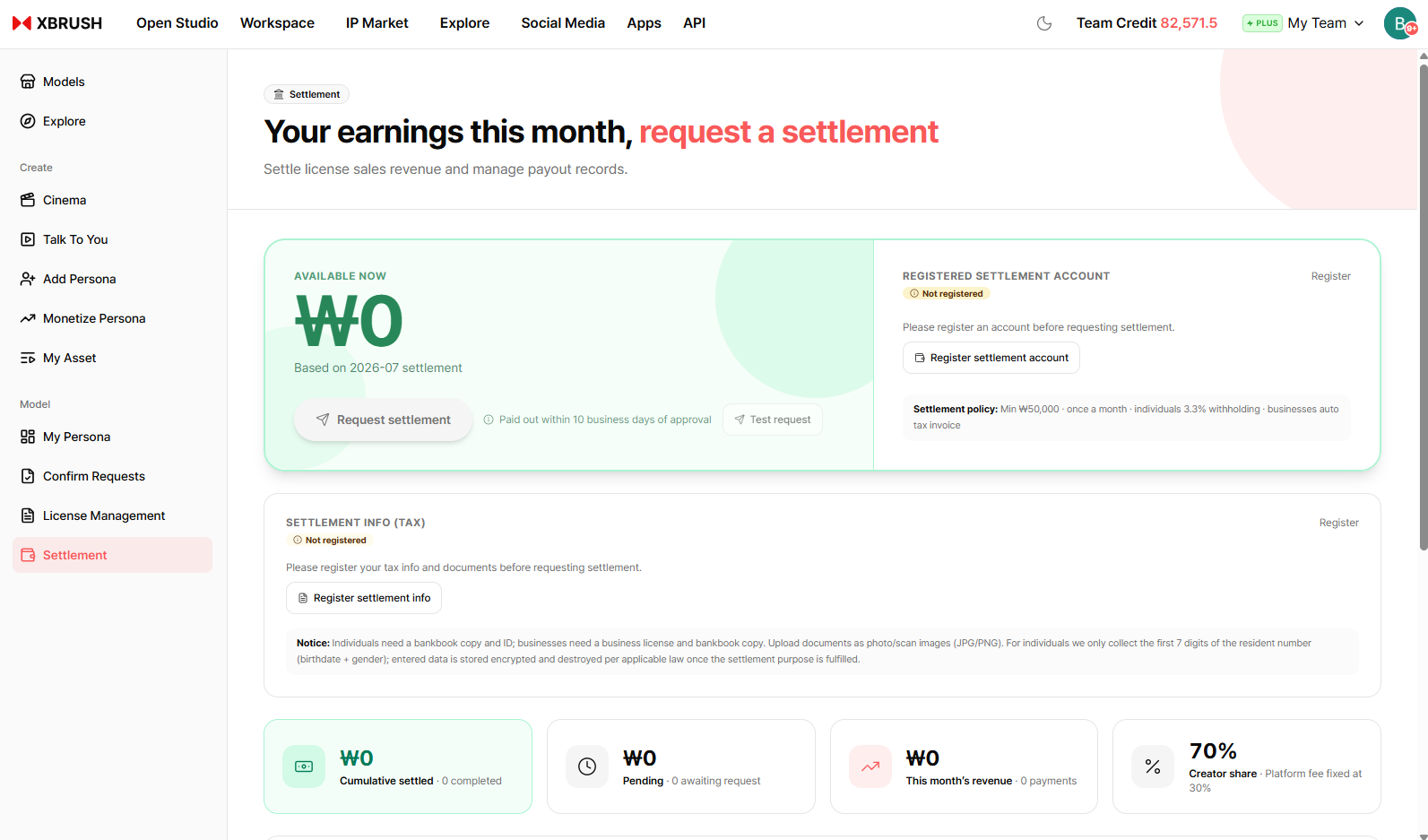
View your earnings and credit settlement history.
- Track revenue earned from each persona across campaigns.
- View detailed transaction history for credits received.